
Ingredient Connectors
Ingredient connectors let you show a word or character between the ingredient unit and ingredient name while still keeping those fields separate.
For example, instead of putting “can of” in the unit or “of tomatoes” in the ingredient name, you can keep the unit as “can”, the ingredient name as “tomatoes”, and use “of” as the connector. This keeps the ingredient data cleaner for features like Adjustable Servings, Unit Conversion, and shopping lists.
Enabling the connector control
Section titled “Enabling the connector control”Go to WP Recipe Maker > Settings > Recipe Defaults > Recipe Modal and find the “Ingredient Unit Connectors” setting.
You can set this to:
- Auto: show the connector control for site languages that commonly use ingredient connectors.
- Show: always show the connector control.
- Hide: hide the connector control.
In Auto mode, the connector control appears when your site language is one where connectors are commonly needed. You can still choose “Show” if you want to use connectors for another language or a specific recipe style.
Setting a connector
Section titled “Setting a connector”When editing a recipe, the connector control appears between the unit and ingredient name. Click it to set or change the connector for that unit.
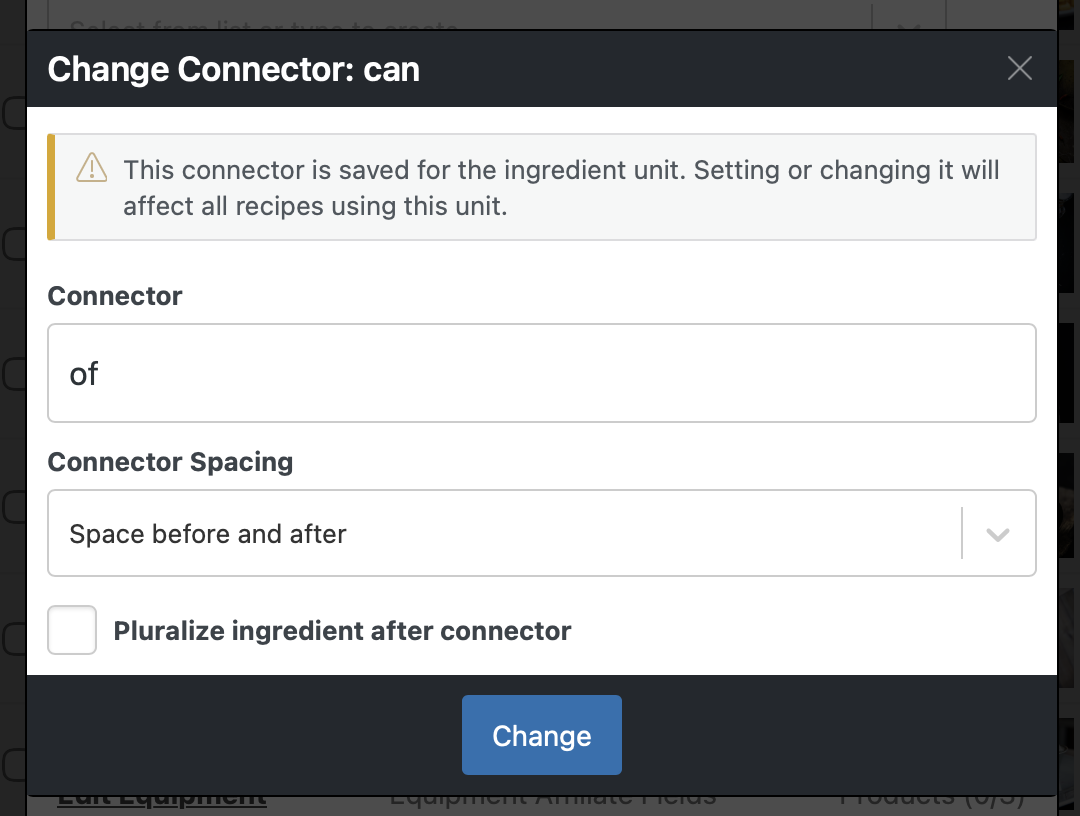
The connector is saved for the ingredient unit. That means changing the connector for “can” affects all recipes using that same unit.

You can also manage connectors from WP Recipe Maker > Manage > Recipe Fields > Ingredient Units.
Connector spacing
Section titled “Connector spacing”The “Connector Spacing” option controls where spaces are added around the connector:
- Space before and after
- Space before only
- Space after only
- No spaces
For “1 can of tomatoes”, use “of” with space before and after. For an apostrophe connector like “d’”, use spacing before only, so the result becomes “500 ml d’eau” instead of adding a space after the apostrophe.
Pluralizing the ingredient after a connector
Section titled “Pluralizing the ingredient after a connector”The “Pluralize ingredient after connector” option controls whether the ingredient name should still switch between singular and plural based on the amount.
For measure-style connectors, you often want to leave this disabled. For example, “2 cloves of garlic” should keep “garlic” singular even though the amount is 2.
Automatic connector adaptation
Section titled “Automatic connector adaptation”In WP Recipe Maker 10.7.1 and up, some connectors can automatically adapt before vowel sounds.
For French and Catalan, a connector like “de” can display as “d’” before matching ingredient names. For Italian, “di” can display as “d’” before matching ingredient names. This lets the same unit connector produce natural output such as:
- “1 cuillère de sucre”
- “1 cuillère d’huile”
- “1 cucchiaio di sale”
- “1 cucchiaio d’olio”
Keep the base connector on the unit, such as “de” or “di”. WP Recipe Maker will handle the adapted display where appropriate, while other ingredients can still use the base connector. French also avoids this adaptation for known h aspiré words, such as “haricots”.
When entering a connector that WPRM can adapt automatically, the modal will show a short notice to help you pick the correct base connector.