
Kitchen Timer
Add kitchen timers to your recipe instructions for the convenience of your visitors. They can easily start the required timer on any of their devices while cooking your recipe.
How to add the Kitchen Timer
Section titled “How to add the Kitchen Timer”To add a timer you can use the [timer seconds=0 minutes=0 hours=0]timer text[/timer] shortcode inside a recipe. Or simple add it to instructions using the clock icon:
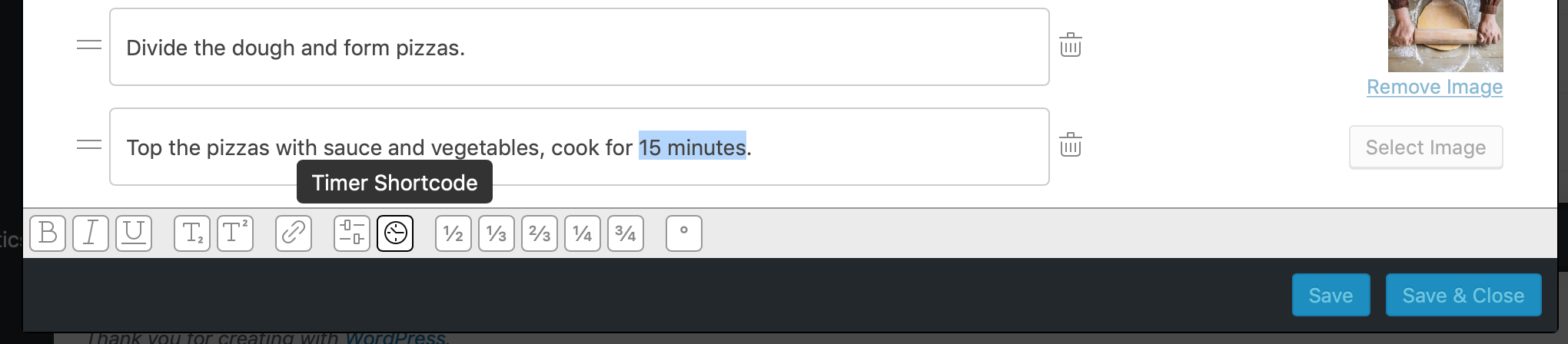
Once you’ve done that, adjust the number inside the shortcode. This is what you get by default:
[timer minutes=0]your text[/timer]To get a 5 minute timer you’d use this, for example:
[timer minutes=5]your text[/timer]