Prevent Sleep Toggle
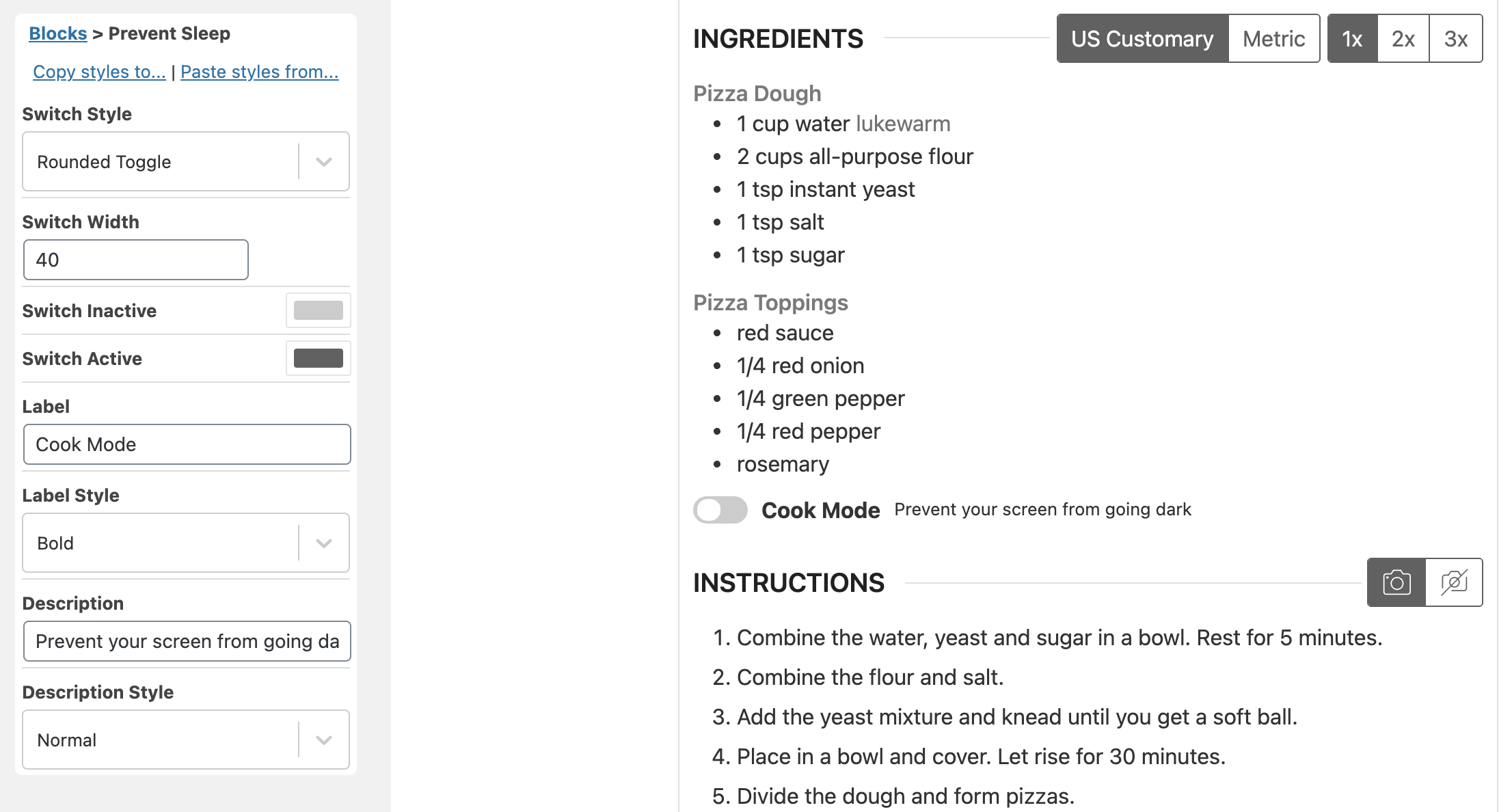
The Prevent Sleep Toggle allows your visitors to enable “Cook Mode”, preventing the screen of their device from sleeping/going dark.
This feature makes use of the WakeLock API, which is not yet supported by all browsers: https://developer.mozilla.org/en-US/docs/Web/API/WakeLock
As of Safari 16.4 (released in March 2023), the feature will work on iOS devices as well, but only when updated to at least that version.
If the browser/device does not support this feature, the toggle will not show up.
Adding the Prevent Sleep Toggle
Section titled “Adding the Prevent Sleep Toggle”The toggle can be added where you want it to appear using our Template Editor. Go to “Add Blocks” and add the “Prevent Sleep” block there. This block has a few styling options you can use: