
Generate Ideas with AI
The AI Assistant is currently in beta and only available to some users Learn more
Stuck in a content rut? Go to the WP Recipe Maker > AI Assistant page and use the “Generate Ideas” tool to get some inspiration for new recipes or recipe lists, based on what’s already working for your site.
Generating Recipe Ideas
Section titled “Generating Recipe Ideas”To create recipe ideas, pick what you want the AI to base their ideas on. It can take into account your most popular, highest rated or most recent ones. Or just have it analyze your entire recipe library and suggest what’s missing.
Optionally give it extra directions if you’re looking for something specific.
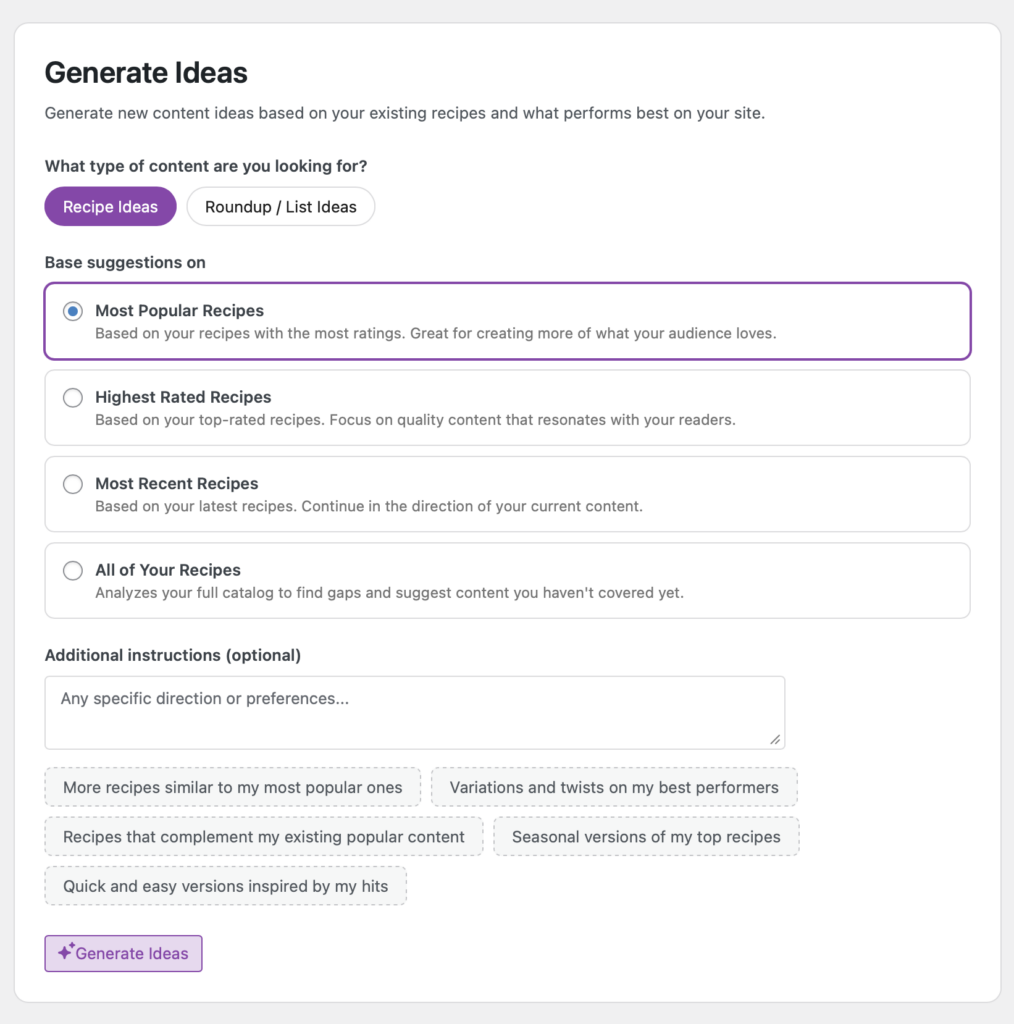
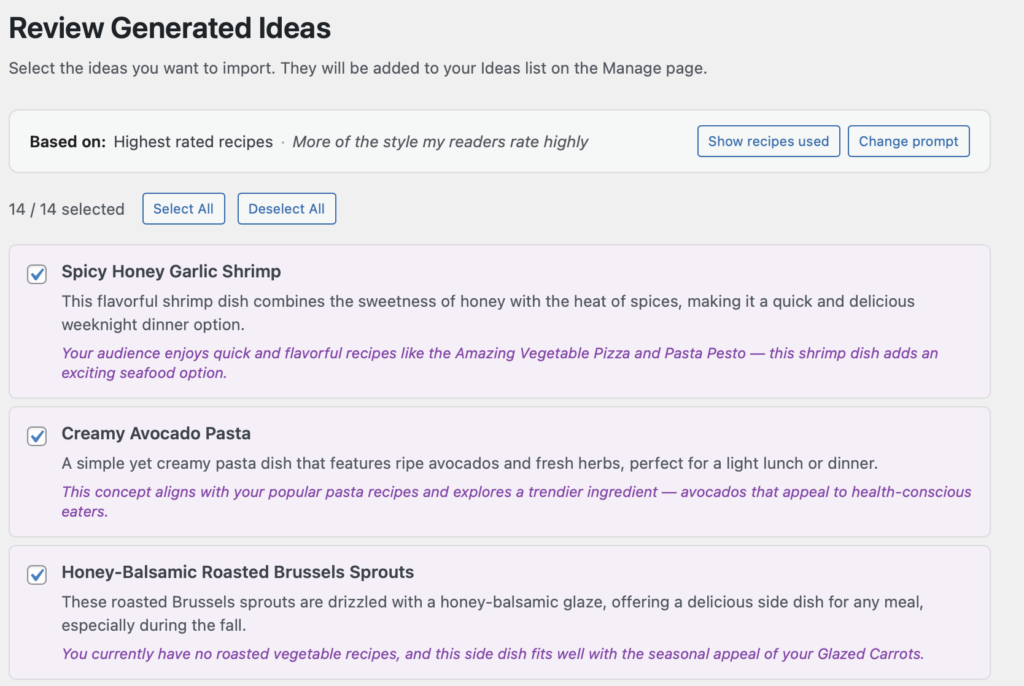
After clicking the “Generate Ideas” button you will be presented with a list of suggestions. Click the “Import Selected” button at the bottom to add them to your list of ideas on the WP Recipe Maker > Manage > Recipes > Ideas page.
Generating Roundup List Ideas
Section titled “Generating Roundup List Ideas”Similarly, you have the option to generate ideas for roundup lists you could create, based on the recipes you have on your site. You also have the option to steer the AI in specific directions.
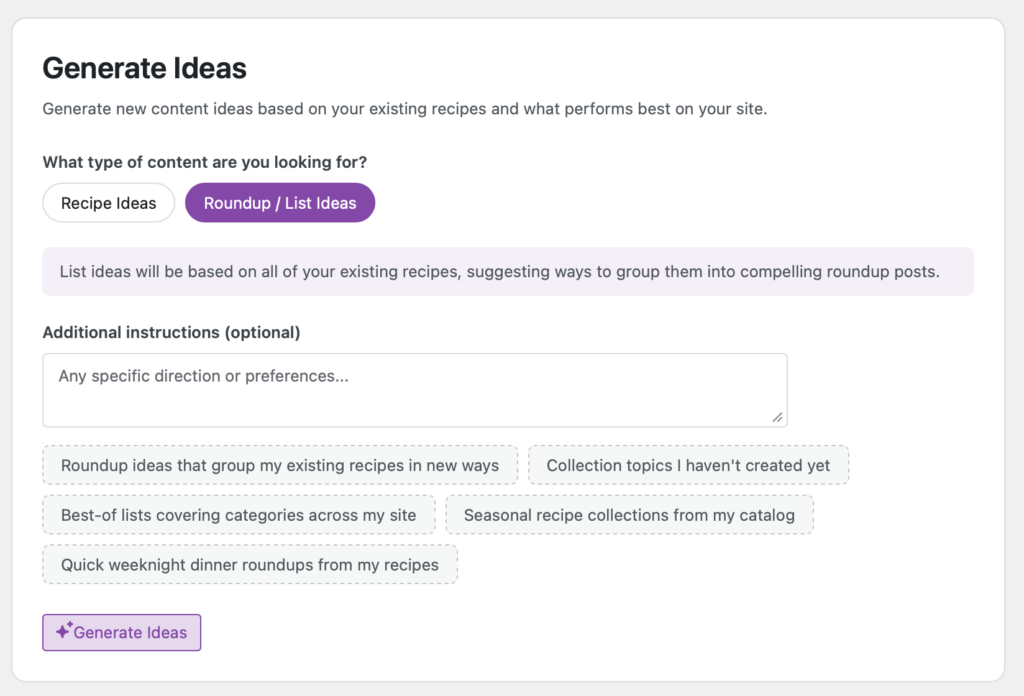
Just like recipe ideas, the list ideas can be stored to the WP Recipe Maker > Manage > Recipes > Ideas page for your reference.