
Adjustable Servings
The Adjustable Servings feature allows your visitors to change the serving size for your recipe and have the plugin automatically recalculate the ingredient quantities for them.
This requires WP Recipe Maker Premium or higher. Set the original servings amount and unit while editing the recipe, then choose a serving changer in your recipe template.
Different display options
Section titled “Different display options”Different display options can be set in the Template Editor.
Adjustable pan sizes for baking
Section titled “Adjustable pan sizes for baking”For cakes, brownies and other baking recipes, enable Advanced Adjustable Servings and configure the original pan dimensions. Visitors can then change the pan size to recalculate the ingredients.
Changing the recipe yield also suggests a pan with the original shape and proportions, keeping the height unchanged. Pan dimensions display as whole centimetres or half-inches. This display rounding does not change the ingredient quantities calculated from the selected servings.
Use [wprm-pan-size] in an instruction to show the current pan dimensions. Follow the baking guide for setup and the instruction toolbar button. Use [adjustable]...[/adjustable] for other quantities that should scale directly with the servings.
Using the adjustable shortcode
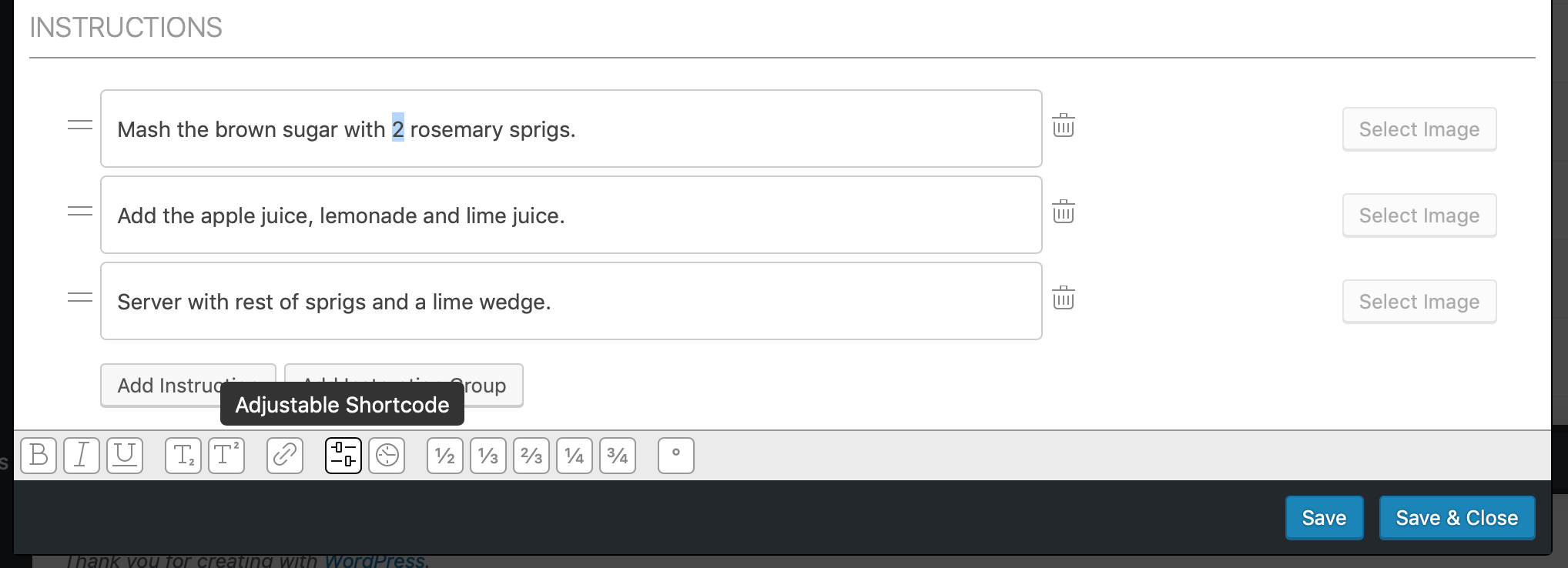
Section titled “Using the adjustable shortcode”The serving size changer will automatically affect the ingredient quantities. It is also possible to let other numbers in the recipe adjust with the serving size by using the [adjustable]123[/adjustable] shortcode.
Any number surrounded by that shortcode will automatically adjust with the serving size. In the recipe summary and instructions you can easily add this shortcode by highlighting the number and clicking on the “Adjustable Shortcode” icon.
Values after adjusting servings
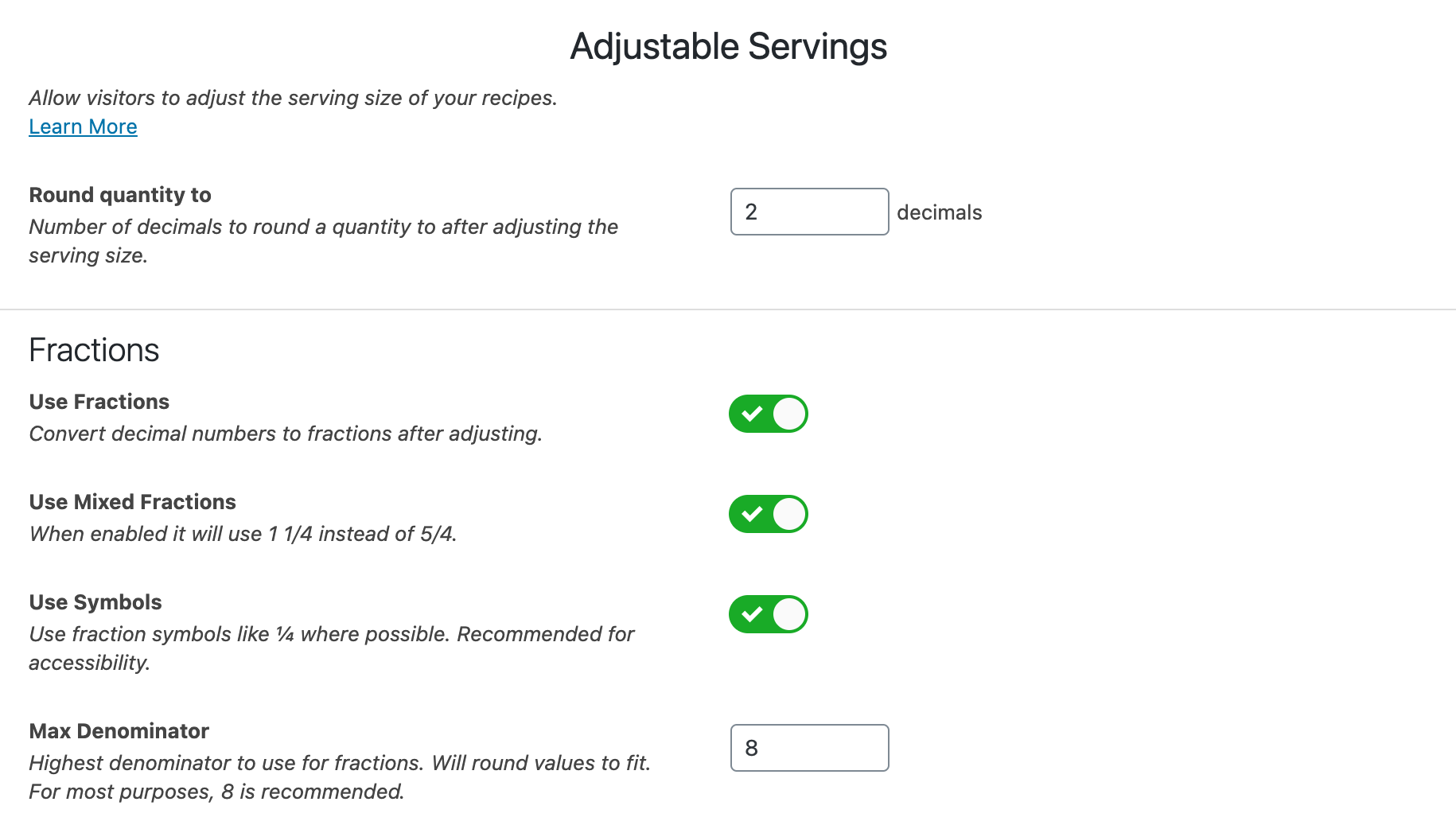
Section titled “Values after adjusting servings”Use the WP Recipe Maker > Settings > Adjustable Servings page to finetune what values get shown after adjusting servings. This allows you to set the number of decimals the values should be rounded to or if you prefer using fractions instead:
Set servings through URL parameter
Section titled “Set servings through URL parameter”With this setting you can link to a recipe and immediately set a specific serving size to use for that recipe in the URL. To use this, enable the “Set servings through URL” setting on the WP Recipe Maker > Settings > Adjustable Servings page:
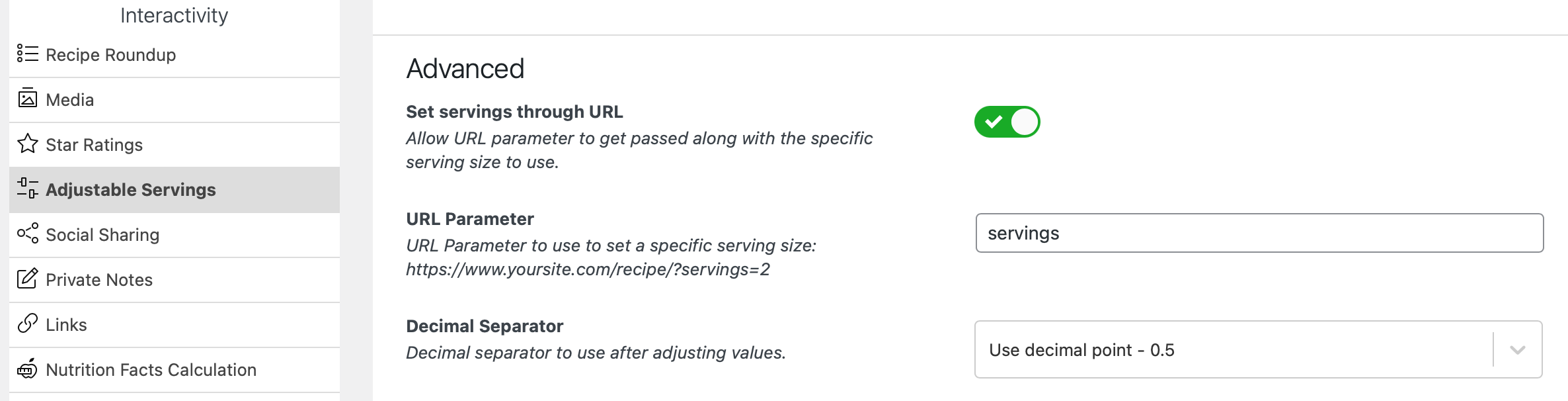
Once enabled you can link to your recipes with the defined URL parameter like this: https://demo.wprecipemaker.com/adjustable-servings/?servings=3
It will affect all recipes on the page.