
Author Links
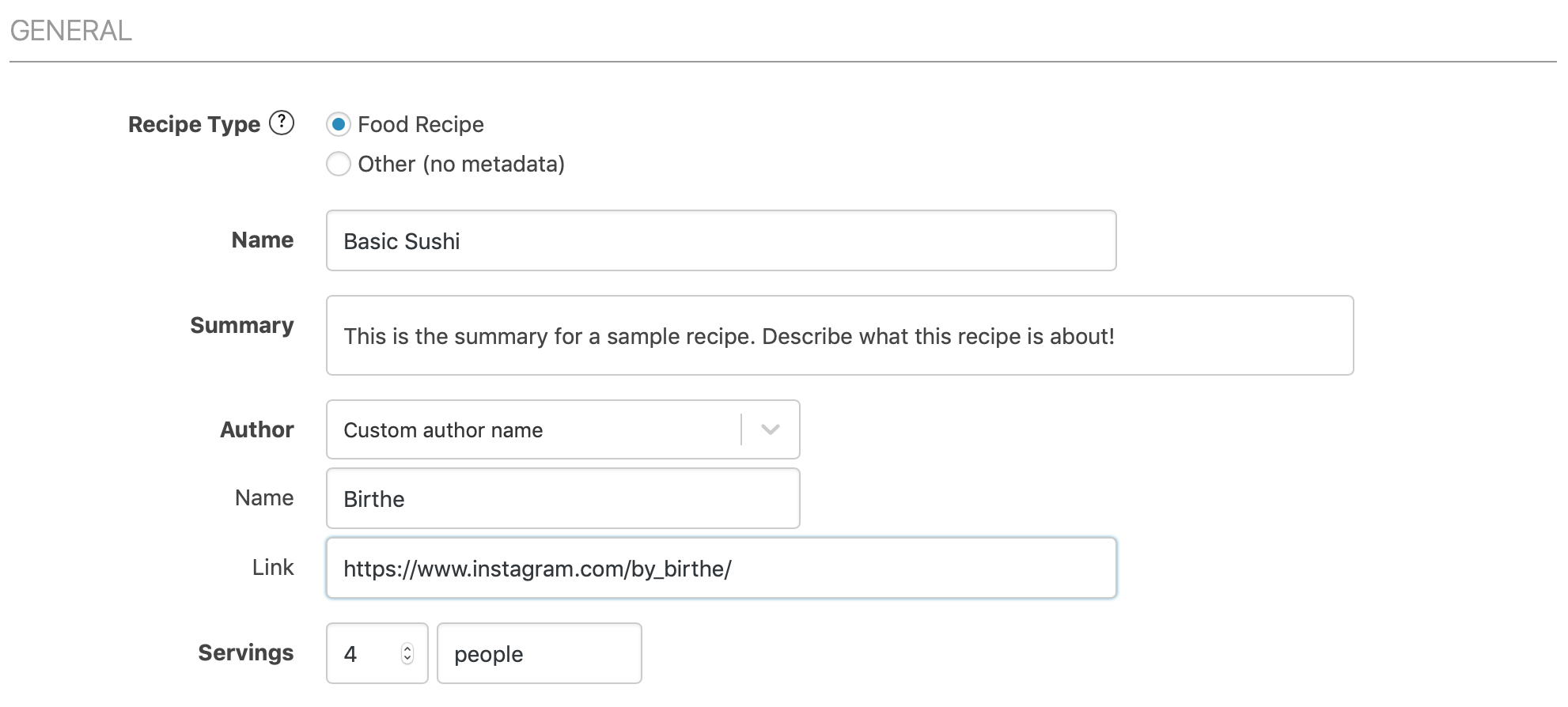
Set a custom author and optional author link per recipe to give credit. Author links on the recipe card require WP Recipe Maker Premium or higher. Make sure the author is set to “Custom author name”. That will allow you to set a link:
Author Links when using “Post Author”
Section titled “Author Links when using “Post Author””If you have the recipe set to display the “Post Author” you can enable author links as well. You do so on the WP Recipe Maker > Settings > Links > Author Links page:
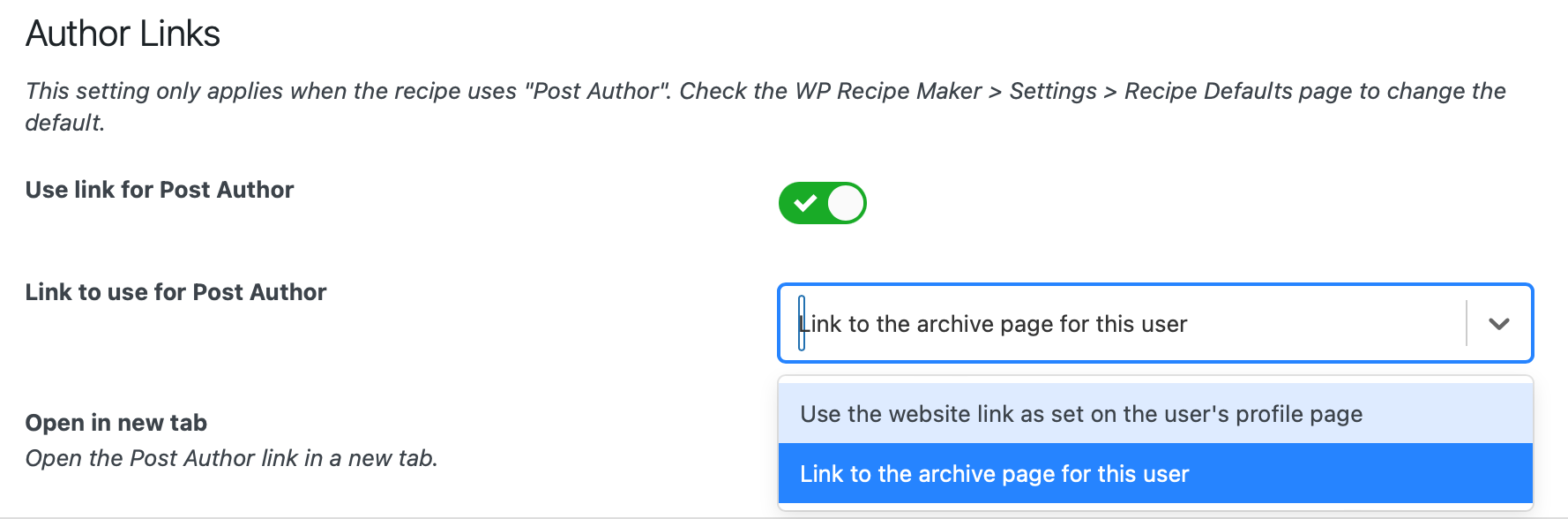
This can be an automatic link to the author archive page (which lists all posts by that author) or the website link as defined on the Users > Profile page in the backend.
Use the same Author Name and Link for every recipe
Section titled “Use the same Author Name and Link for every recipe”It’s also possible to use the same author name and link for every single recipe. If you want that, go to the WP Recipe Maker > Settings > Recipe Editing > Defaults page and set it to “Same author for every recipe” like in this example:
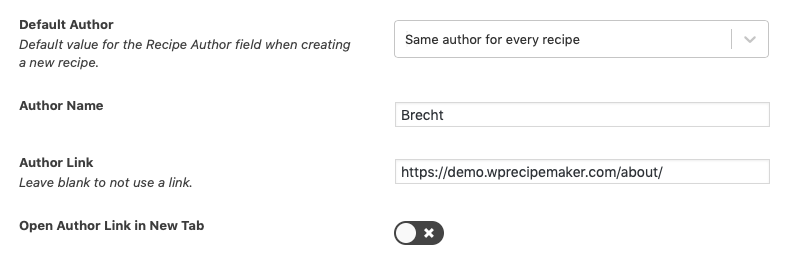
This will affect all recipes, so it’s not possible to then change the author for specific recipes.
Author URLs in Recipe Metadata
Section titled “Author URLs in Recipe Metadata”WP Recipe Maker includes an author URL in the recipe metadata for SEO when one is available:
- For a custom author name, it uses the author link set for that recipe.
- For “Same author for every recipe”, it uses the Author Link from WP Recipe Maker > Settings > Recipe Editing > Defaults.
- For the post author, it uses the website from Users > Profile, falling back to the author’s archive page if no website is set.
The post author’s metadata URL is included even if “Use link for Post Author” is disabled on the recipe card. That setting and its website/archive choice control the visible link, while the metadata uses the profile website first.
If a custom or shared author name is filled in but its link is blank, no author URL is added. If that name is blank, the metadata falls back to the post author. Hiding the author on the recipe card also keeps this post-author metadata fallback.
Bulk Editing Authors
Section titled “Bulk Editing Authors”Ever need to change the author for multiple recipes at once? The bulk editing feature on the WP Recipe Maker > Manage page is perfect for that!