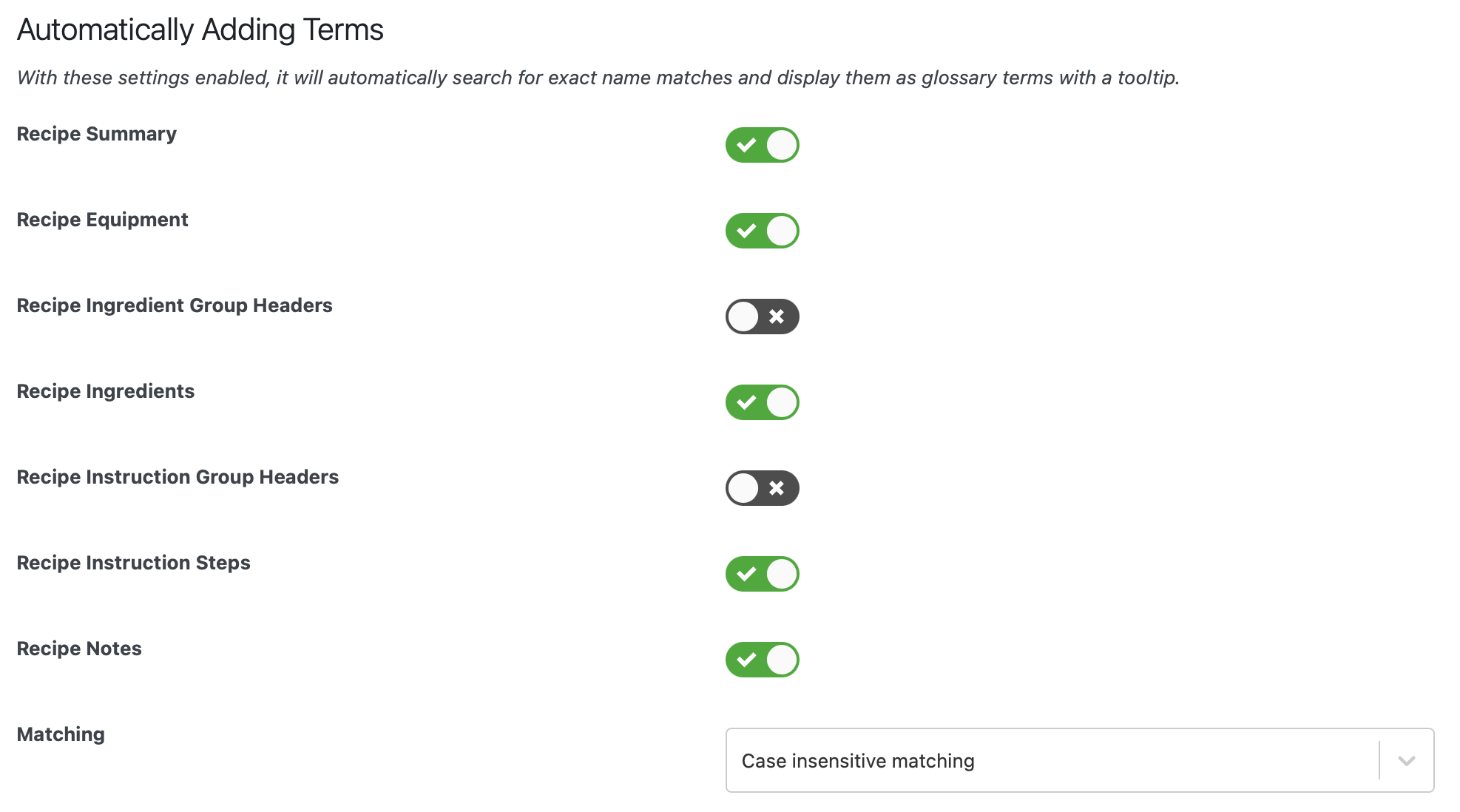
Glossary Terms
Glossary Terms can be used to provide additional context to certain terms used in your recipes.
Creating Glossary Terms
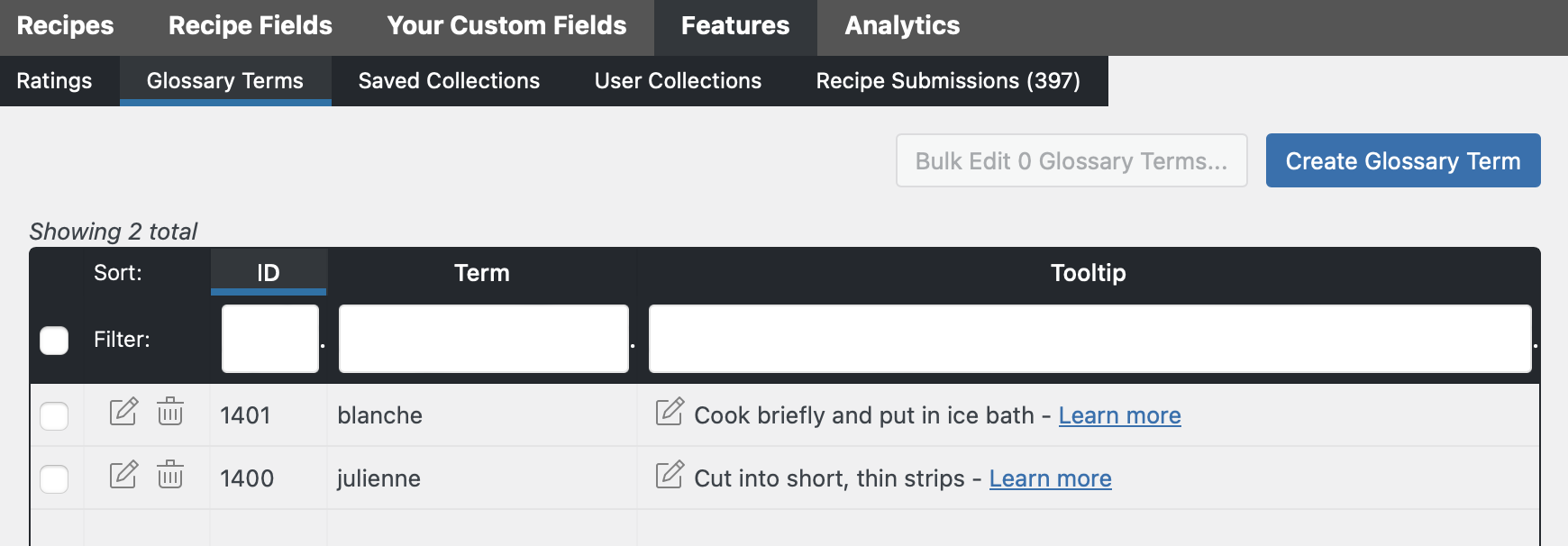
Section titled “Creating Glossary Terms”You can create or edit terms through the WP Recipe Maker > Manage > Features > Glossary Terms page:
Manually Displaying Glossary Terms
Section titled “Manually Displaying Glossary Terms”To actually display a glossary term, the [wprm-glossary id=123] shortcode can be typed anywhere on your site, using the ID as found on the WP Recipe Maker > Manage > Features > Glossary Terms page.
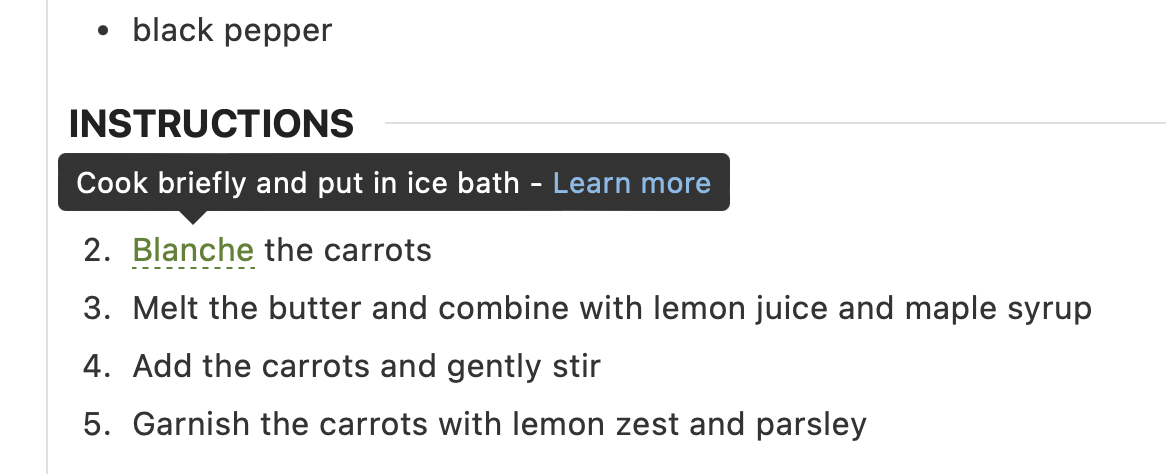
On your website, the glossary term will look something like this:
The styling can be changed through the WP Recipe Maker > Settings > Glossary Terms page:
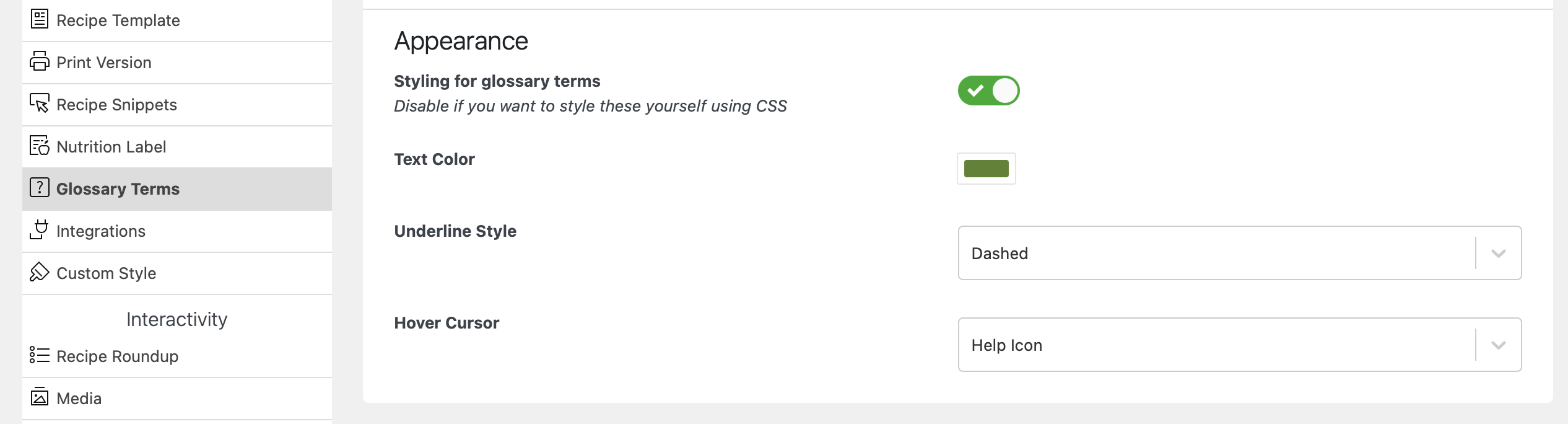
Or you could disable the automatic styling there and target the “wprm-glossary-term” class directly using your own CSS code.
The styling of the tooltip can also be altered, through the WP Recipe Maker > Settings > Custom Style page.
Automatically Displaying Glossary Terms
Section titled “Automatically Displaying Glossary Terms”With the Premium, Pro or Elite Bundle you also have the ability to automatically show the Glossary Terms tooltip wherever you use the word in specific fields inside of the recipe card: