
Import recipes from the Paprika Recipe Manager app
WP Recipe Maker Premium supports importing .paprikarecipes files exported with the Paprika Recipe Manager app.
To get an export, go to File > Export in the Paprika app and make sure to select “Paprika Recipe Format” as the export format:
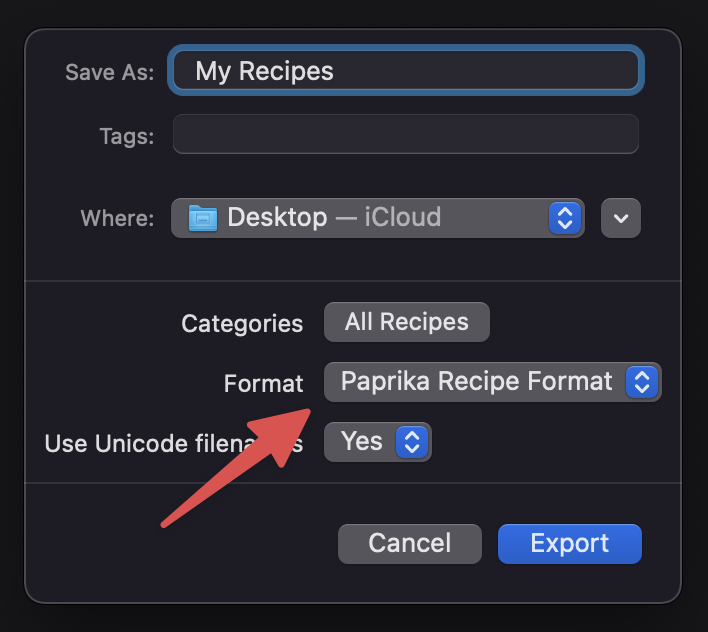
Exporting like this should get you a “My Recipes.paprikarecipes” file that you can now imported through the WP Recipe Maker > Import Recipes page by clicking on “Import recipes from Paprika”:
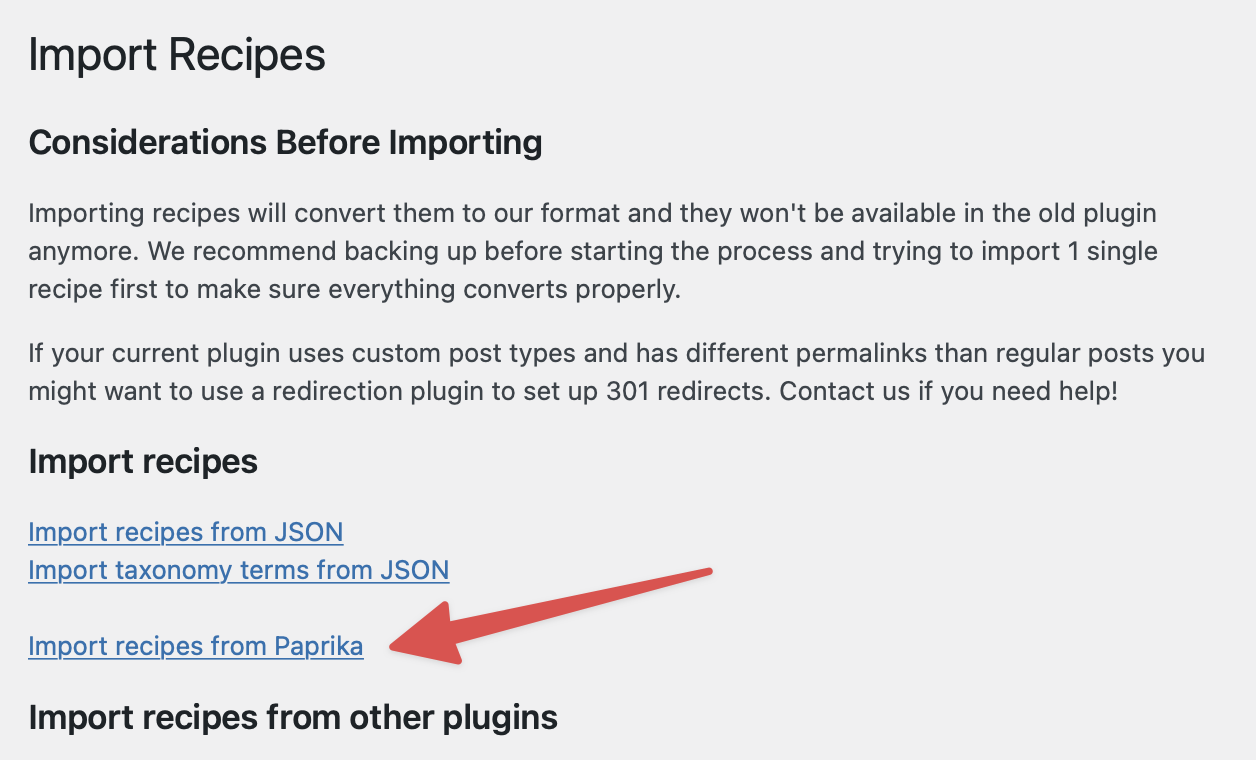
Recipes that have been imported will show up on the WP Recipe Maker > Manage page. We do recommend going through them after importing. Paprika does not store recipes in a detailed format, so we have to guess where fields belong, in some cases.