
AI Unit Conversion Review
The AI Assistant is currently in beta and only available to some users Learn more
You can access the AI Unit Conversion Review through the WP Recipe Maker > AI Assistant page and start a review batch on all your recipes or only the ones missing a second unit system.
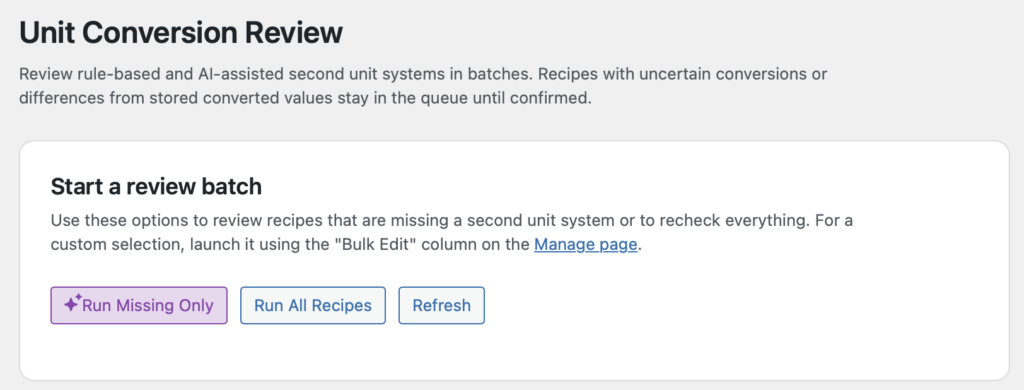
Alternatively, you can trigger a review for specific recipes only through the “Bulk Edit” column on the WP Recipe Maker > Manage > Recipes page.
Handling the Review
Section titled “Handling the Review”Once you start a batch, wait for the process to finish to be able to review the recipes. At this point, your recipes have not been changed in any way.
Your recipes will be tagged according to what the AI thinks needs to be done. For some recipes, it will highlight specific ingredients as needing to be reviewed.
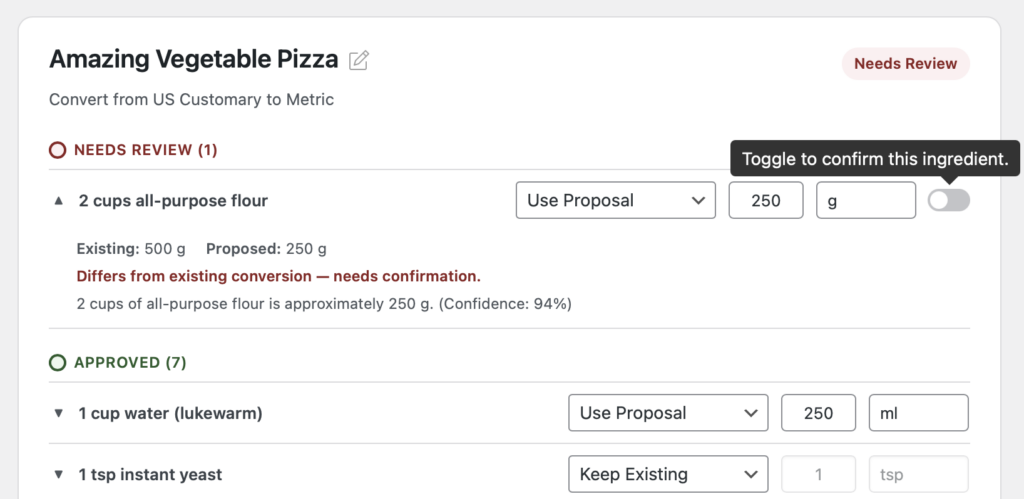
You can manually adjust the values if needed, or click the toggle to confirm these ingredients.
The “Save Changes to Proposal” button can be used to remember the adjustments you’ve made to the current recipe in review. This way you can come back to the review process at a later time.
Actual changes to the recipe are only made when you click the “Apply to Recipe” button. It clearly shows you what changes will be made so you can make one final check.
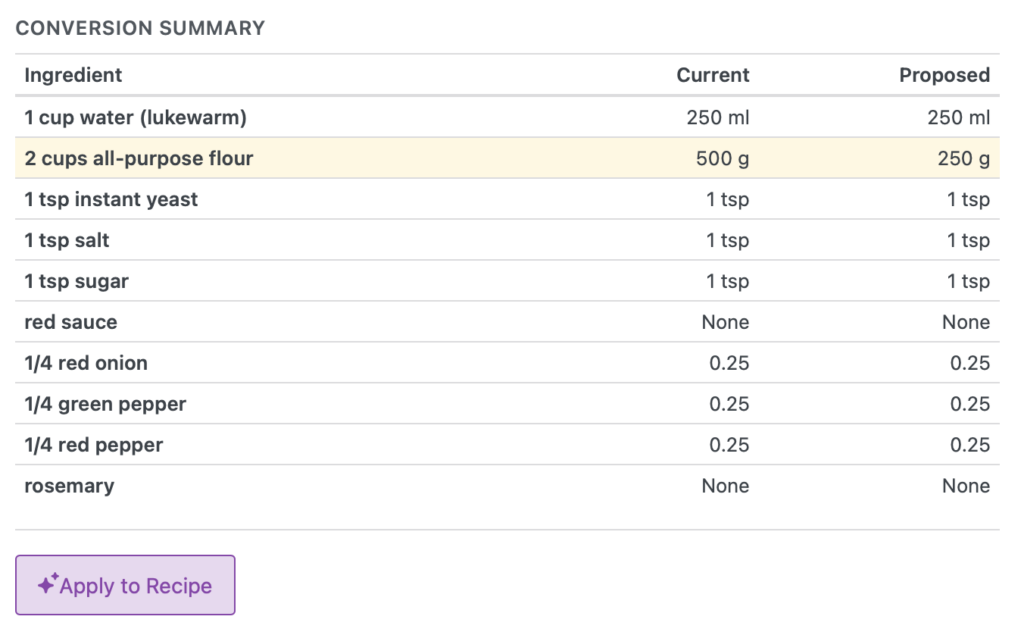
The “Apply to Recipe” button will only be available once you’ve approved the individual ingredients that were marked as “Needs Review”. This prevents you from accidentally saving incorrect changes.