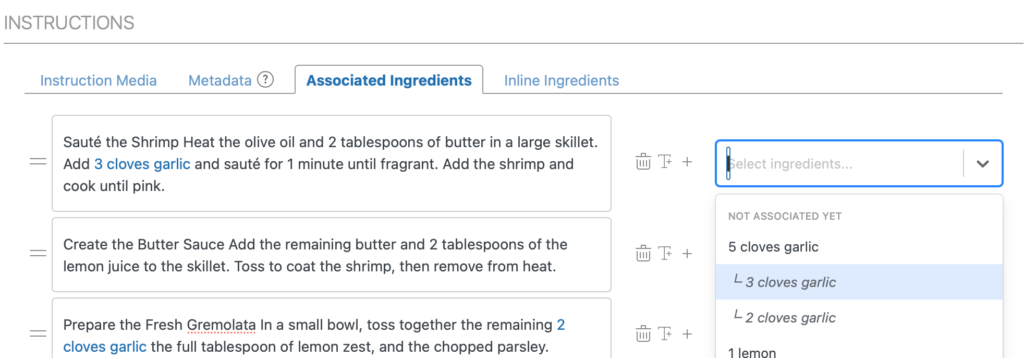
Associating Ingredients with Instructions
See the Associating Ingredients with Instructions feature in action
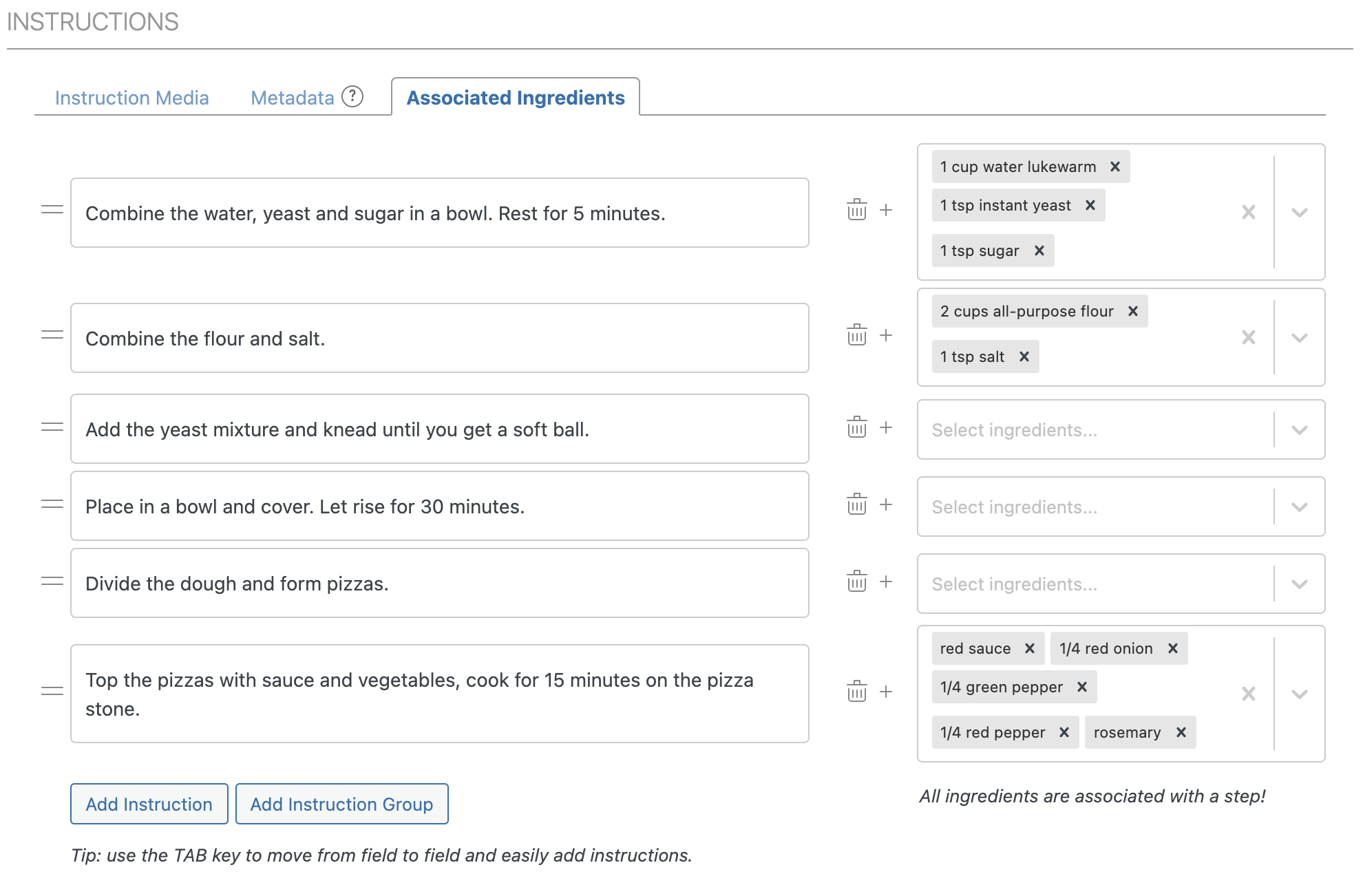
To associate ingredients with instructions, use the “Associated Ingredients” tab in the instructions section:
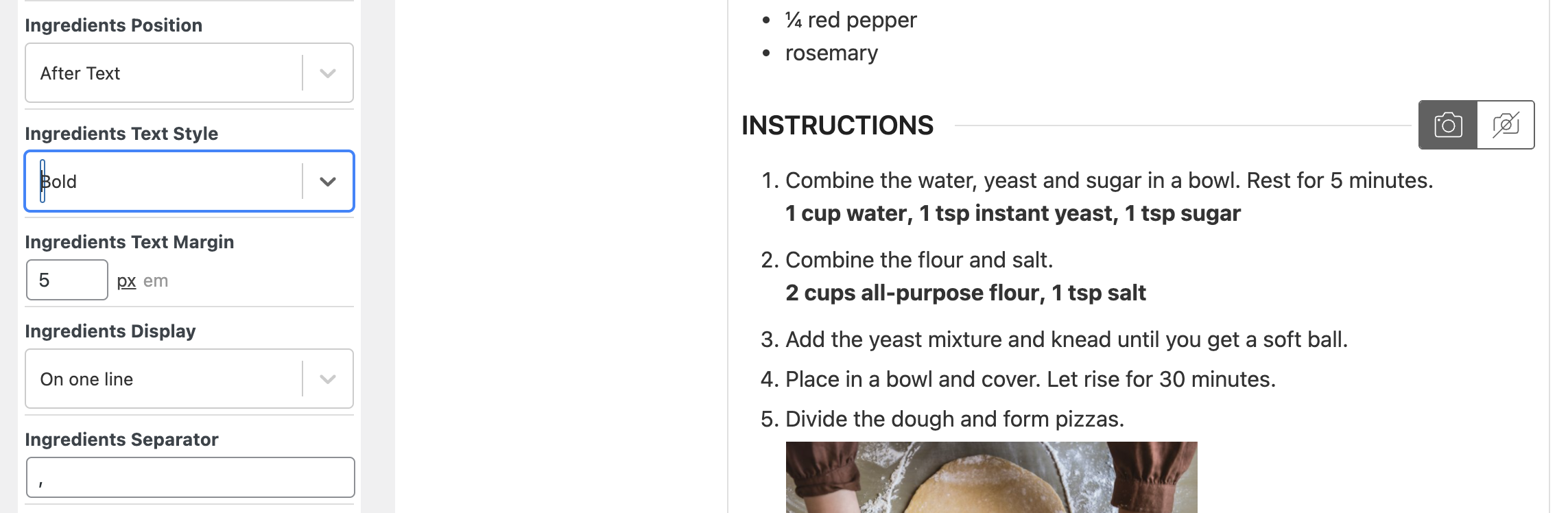
There are also a few layout options to play around with. You can find these by editing the “Recipe Instructions” block in the Template Editor:
Alternatively, you can consider adding inline ingredients as well.
Splitting Ingredients to Use in Different Instruction Steps
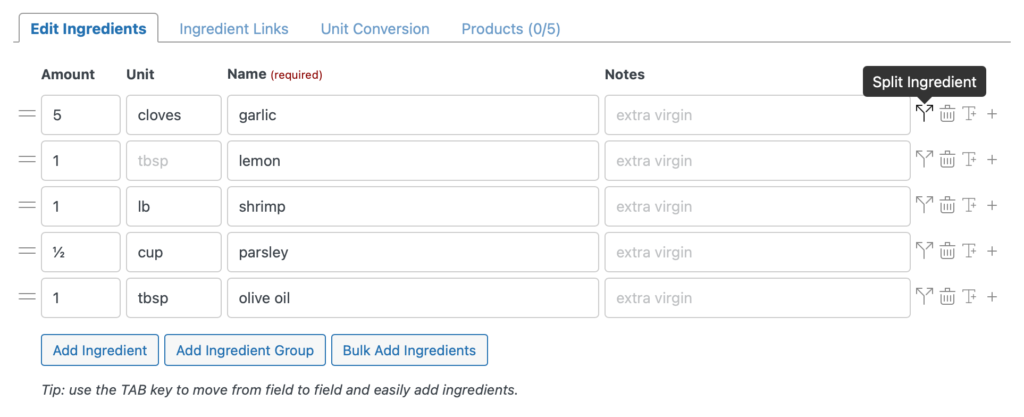
Section titled “Splitting Ingredients to Use in Different Instruction Steps”You can split an ingredient into multiple parts, each usable separately in instruction steps as inline or associated ingredients. This is useful when the same ingredient is used in different amounts across steps. Click on the “Split Ingredient” icon when editing your ingredients to start:
This will open a new modal were you can split the ingredient amount into multiple parts. For every part you pick a percentage, that way adjusting the amount of your ingredient afterwards makes sure the split is still correct. The preview can be used to check if you’ve set the correct percentage.
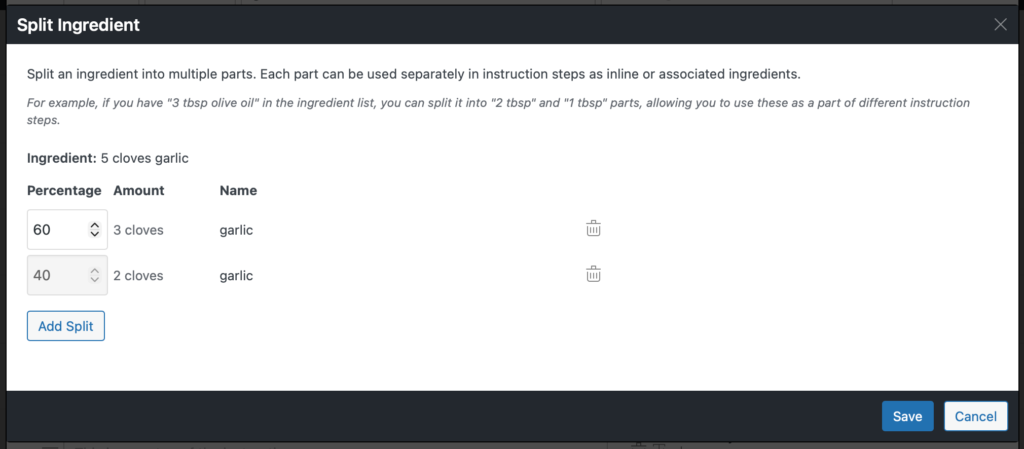
After saving the split we are now able to use those amounts as inline or associated ingredients in different instruction steps.