
Cook Mode Popup
The Cook Mode Popup requires WP Recipe Maker Premium or higher.
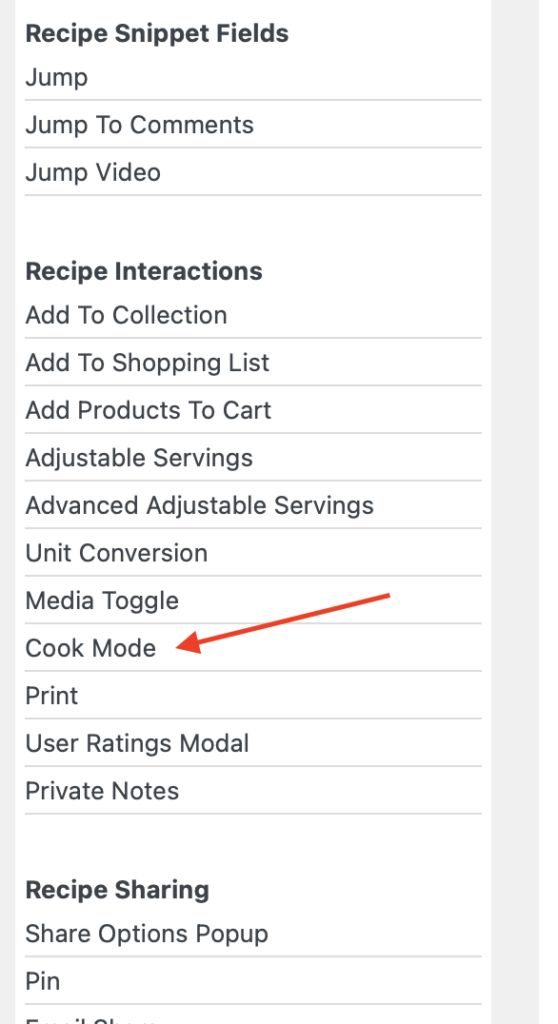
If you want your visitors to be able to use the Cook Mode feature, you’ll need to add the “Cook Mode” block to your recipe card template in our Template Editor. This will be the button that visitors click on to open the Cook Mode Popup modal.
Start by editing your recipe card template (or snippet template, if you want a button at the very top of the post) and go to “Add Blocks” to add the “Cook Mode” block. It can be found in the “Recipe Interactions” section:
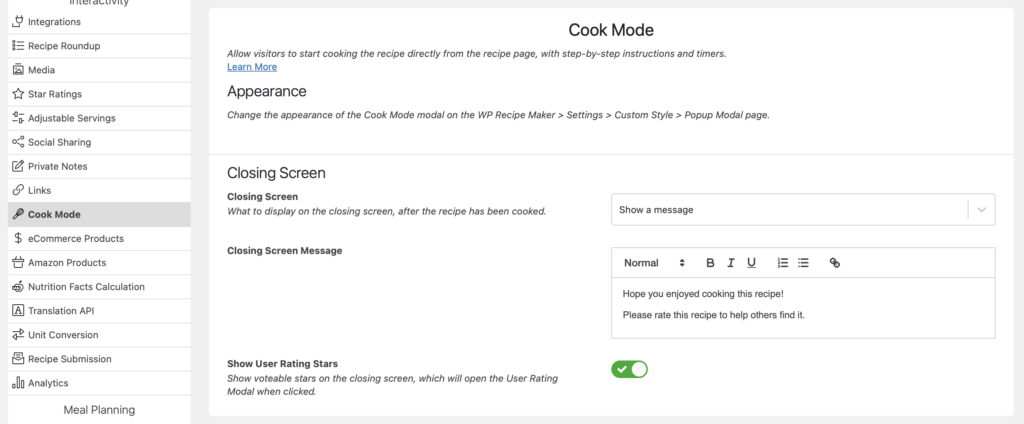
Customizing the popup modal itself can be done through the WP Recipe Maker > Settings > Cook Mode page.
To change the colors of the modal, change the general color options on the WP Recipe Maker > Settings > Custom Style > Popup Modal page. These colors will be used for other popup modals (like the user ratings modal) as well.
Showing equipment for each instruction step
Section titled “Showing equipment for each instruction step”You can associate equipment with individual instruction steps so visitors see the tools they need for each step in Cook Mode.
- Open the recipe form and go to Equipment. Use Add Equipment to add the tools needed for the recipe. Each item needs a name; you can also enter an amount and notes, such as “Use a wide bowl.”
- Go to Instructions and switch the editing mode to Associated Equipment.
- In the Select equipment… field below an instruction step, select the equipment needed for that step. You can select more than one item and reuse the same item on multiple steps.
- Repeat for the other steps and save the recipe.
The selector uses equipment already added to this recipe. If it says Add equipment to this recipe first., return to Equipment and add an item with a name.
When a visitor opens Cook Mode and starts cooking, the selected items appear under Equipment, above that step’s instruction text. Amounts and notes are shown when you have entered them. Each step shows its own selection; steps without associated equipment do not show an equipment section. There is no separate setting to enable this display.
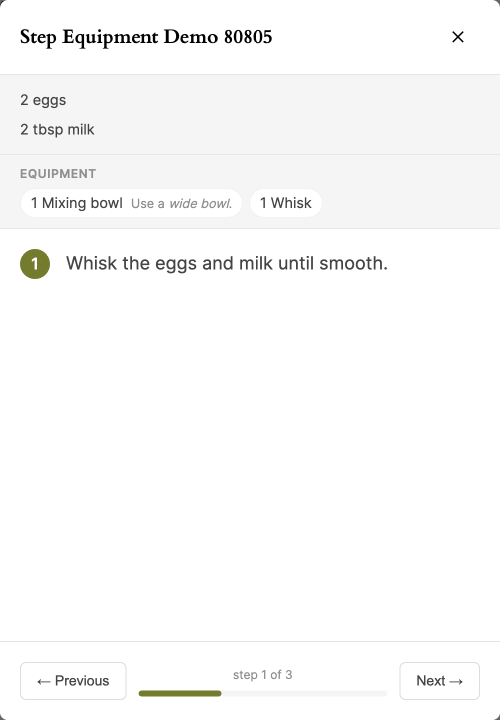
For example, associate a mixing bowl and whisk with a mixing step, then a skillet with the next cooking step. Visitors see the tools they need as they move through the recipe. See Filling in the Recipe Fields for more help with the recipe form.
Enhancing the Cook Mode Popup
Section titled “Enhancing the Cook Mode Popup”Adding images or videos to all your instruction steps will make the Cook Mode Popup visually more interesting. We also recommend associating ingredients with instructions, so that visitors can easily follow along while making the recipe. Adding kitchen timers to your instruction steps will make things even more interactive and useful.