
Download PDF Button
To give your visitors the option to download recipes as a PDF, first enable the feature on the WP Recipe Maker > Settings > PDF Download page:
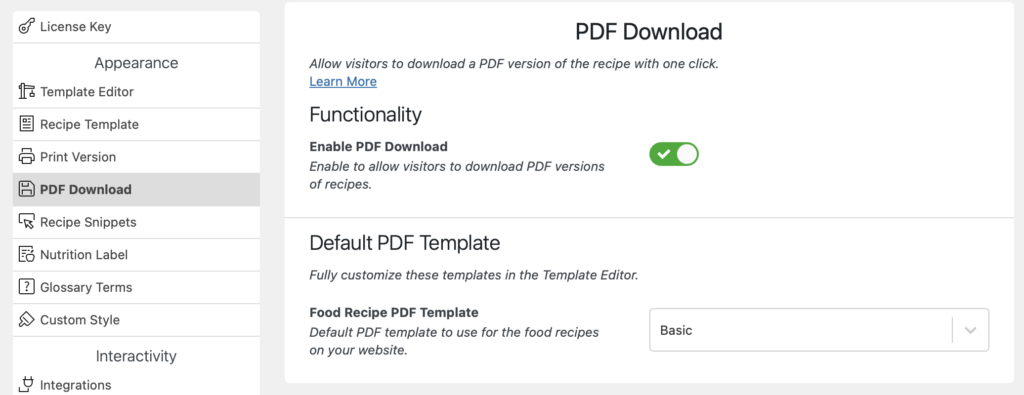
Here you will also be able to pick the recipe template to use for this PDF version of the recipe.
For giving your visitor the option to download a recipe as PDF, you now have 2 options:
Download PDF button on the print page
Section titled “Download PDF button on the print page”On the WP Recipe Maker > Settings > Print Version > Functionality page you can enable the “Download PDF Button” setting.
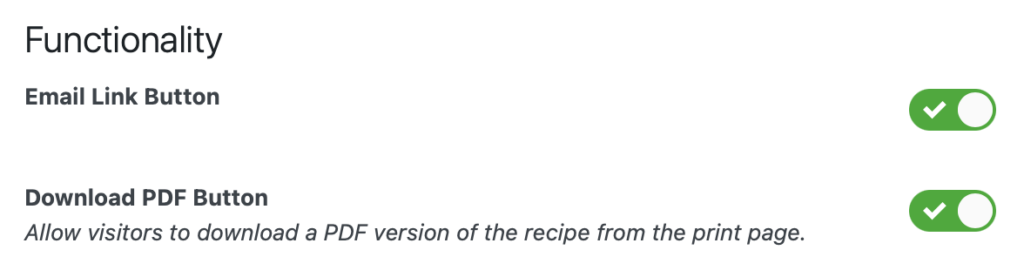
When enabled, this adds an extra button on the print page, giving your visitors the option to either print or download as PDF.
Download PDF button in your recipe card
Section titled “Download PDF button in your recipe card”In the Template Editor you can add a “Download PDF” block anywhere in the recipe card to have a button that will immediately download the PDF recipe when clicked on.
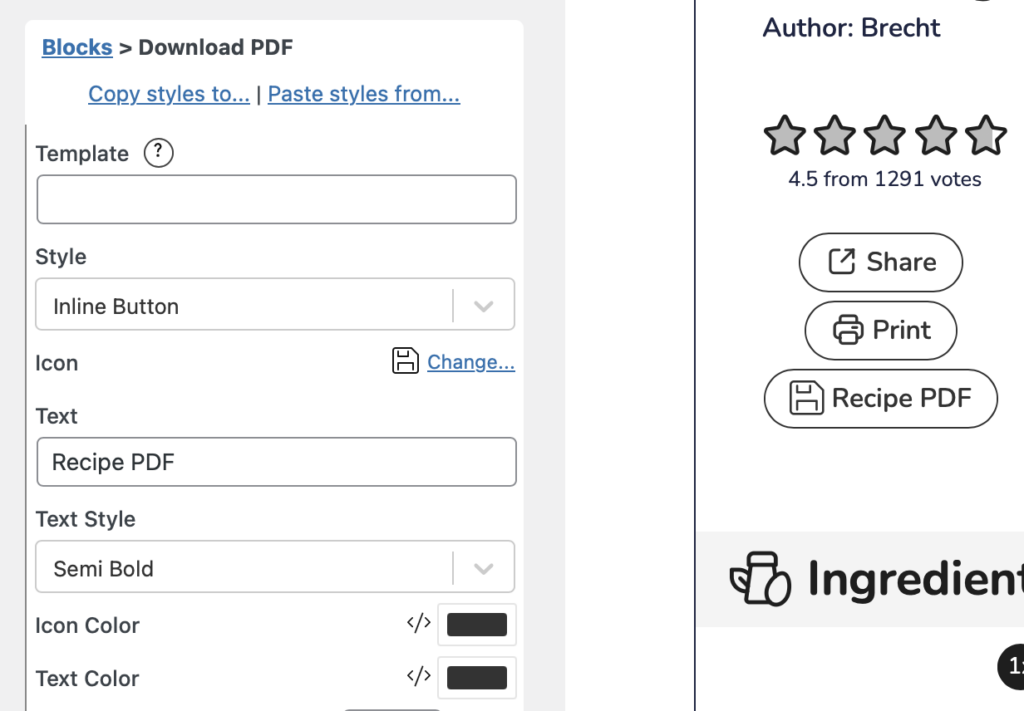
Here you also have the option to define a specific template to use when someone clicks on this button. Or leave empty to just use the default PDF template as set on the settings page.