
Import from Text with AI
The AI Assistant is currently in beta and only available to some users Learn more
In the recipe modal, go to the Import section at the very to use the old Import from Text feature or an advanced AI version of that by pasting in the recipe text you have and clicking the corresponding button.
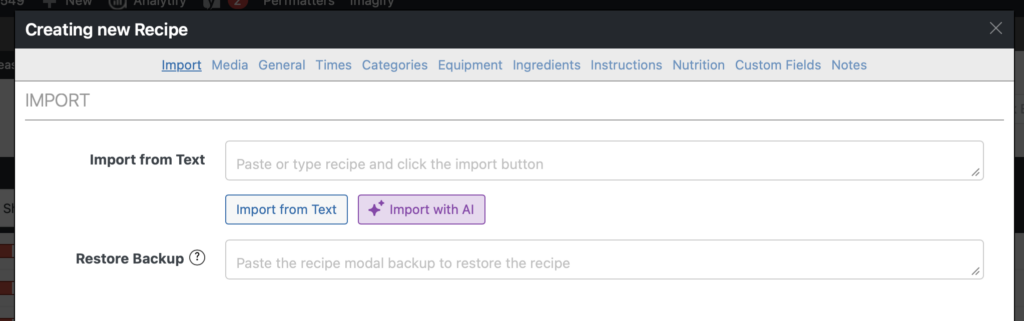
After clicking the “Import with AI” button, the tool will start parsing your text and try to come up with as many recipe fields as it can. Here’s an example of how it parsed an example recipe:
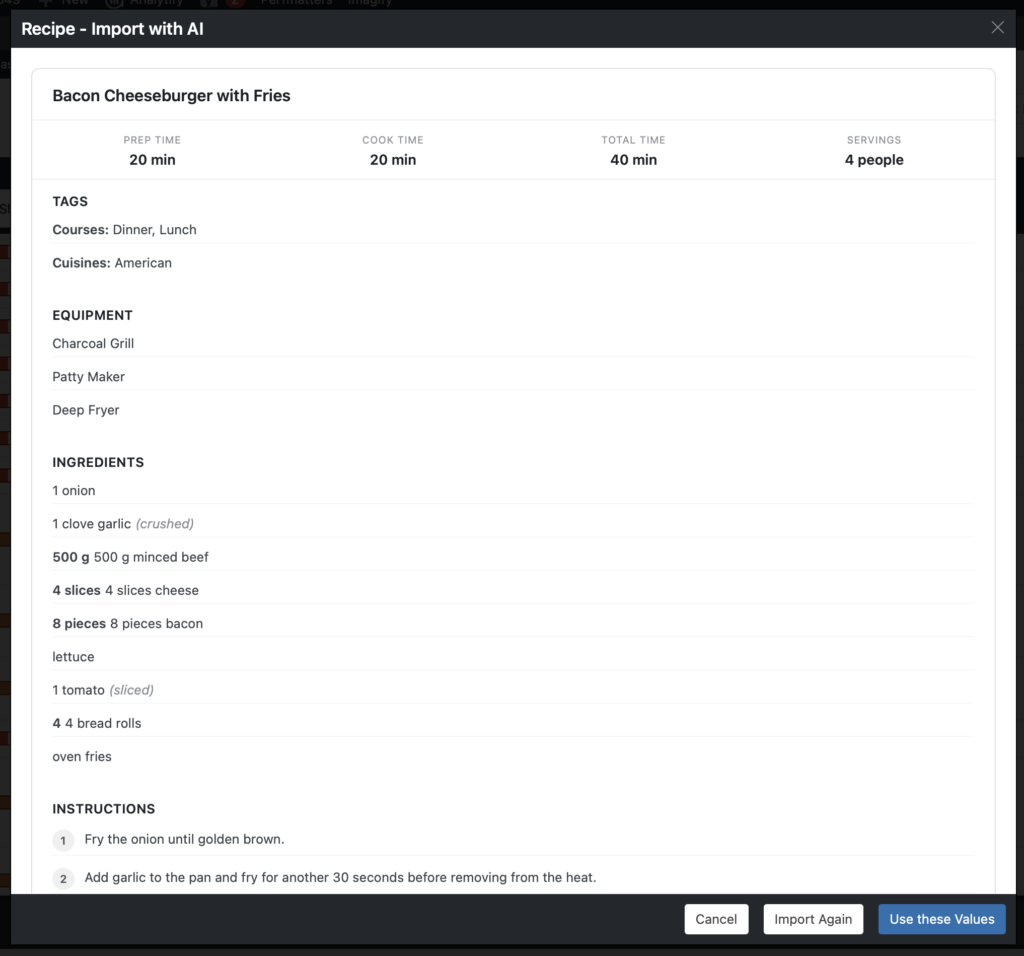
Click “Use these Values” at the bottom to put them in the actual recipe modal fields and continue creating your recipe from there.
Importing through the AI Assistant Page
Section titled “Importing through the AI Assistant Page”Instead of going through the recipe modal, you also have the option to start the AI import through the WP Recipe Maker > AI Assistant page.
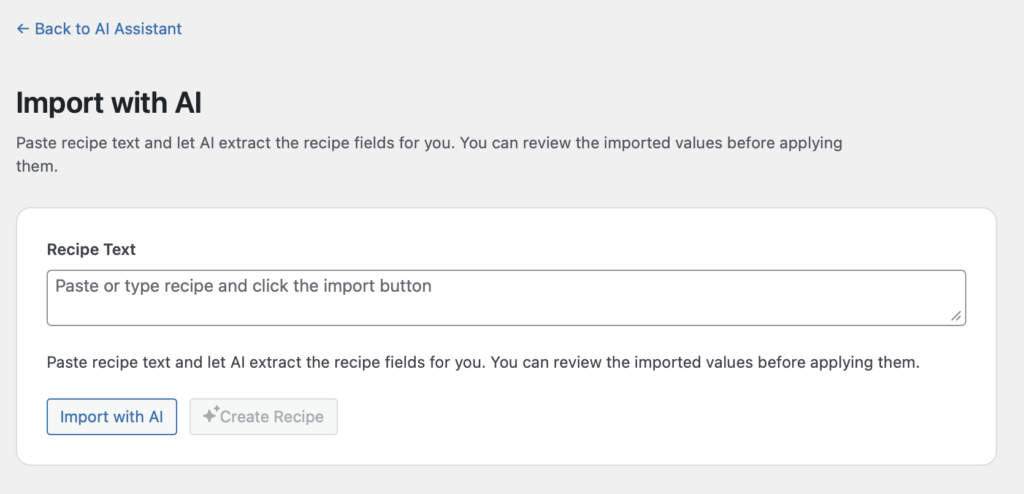
This uses the same AI tool, so the results will be the same.