Installing WP Recipe Maker
Installing the free WP Recipe Maker plugin
Section titled “Installing the free WP Recipe Maker plugin”The free plugin acts as the foundation for the Premium versions, so everyone must follow this step.
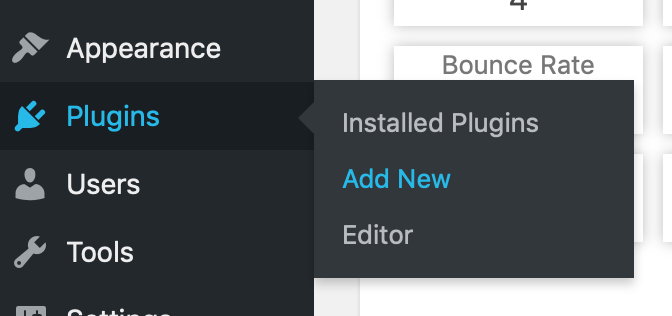
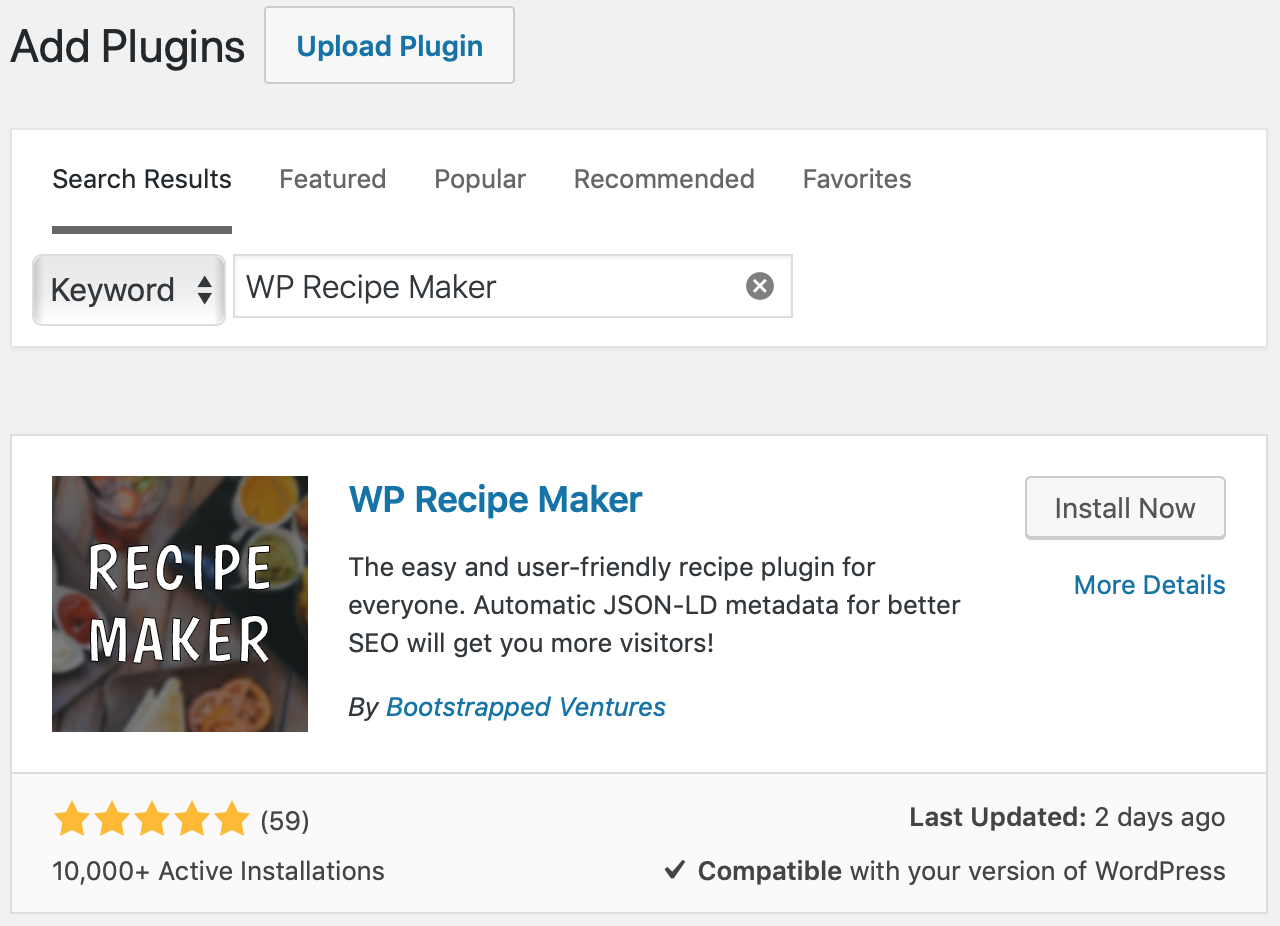
As the free plugin is hosted on the WordPress.org repository it can easily be installed right from your backend. Just go to the Plugins > Add New page, search for “WP Recipe Maker”, click on the “Install Now” button first and the “Activate” button next.
Alternatively, download the plugin from the repository and install it just like the Premium plugin.
Installing WP Recipe Maker Premium, Pro or Elite Bundle
Section titled “Installing WP Recipe Maker Premium, Pro or Elite Bundle”Make sure you’ve installed the free WP Recipe Maker plugin, as shown above.
After purchasing the plugin you’ll receive an email with a download link for the plugin file. Another option is to download the plugin file from your account page.
Check if you have a .zip file archive of the plugin after the download. If not, follow these instructions to get a zip archive.
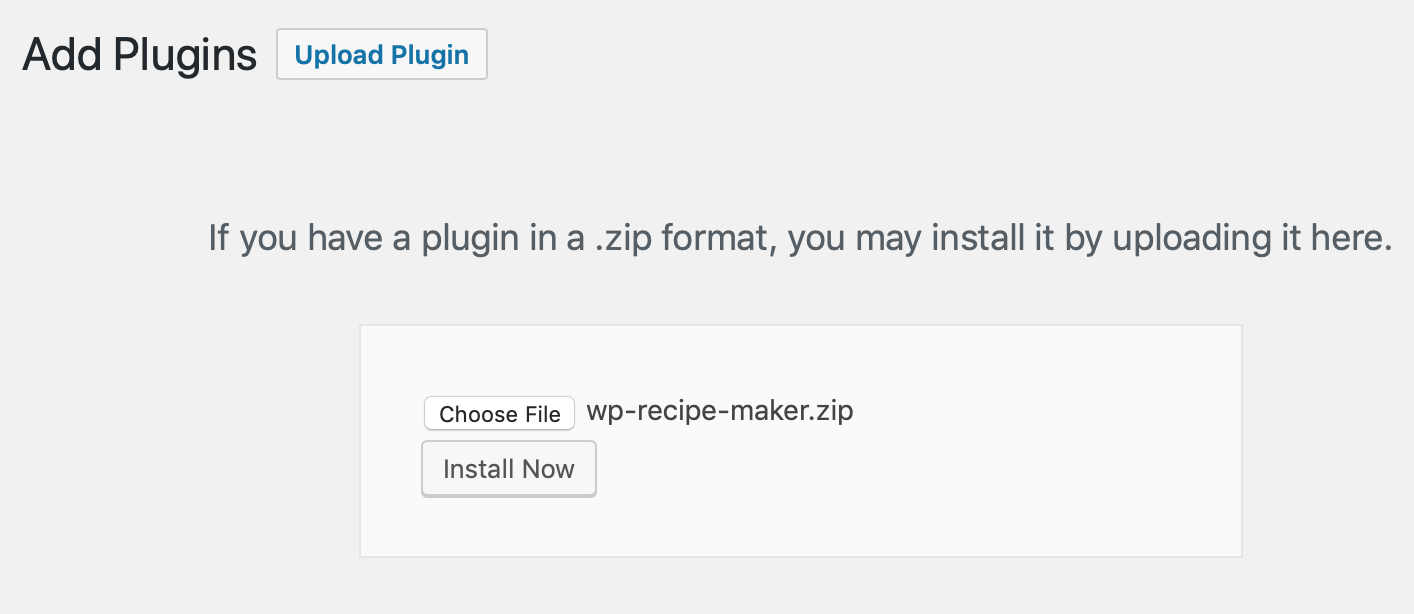
The plugin can be installed by going to the Plugins > Add New page (like you did with the free plugin) and then clicking on the “Upload Plugin” button near the top. Click on “Choose File” to select the plugin zip file, then “Install Now” and “Activate”.
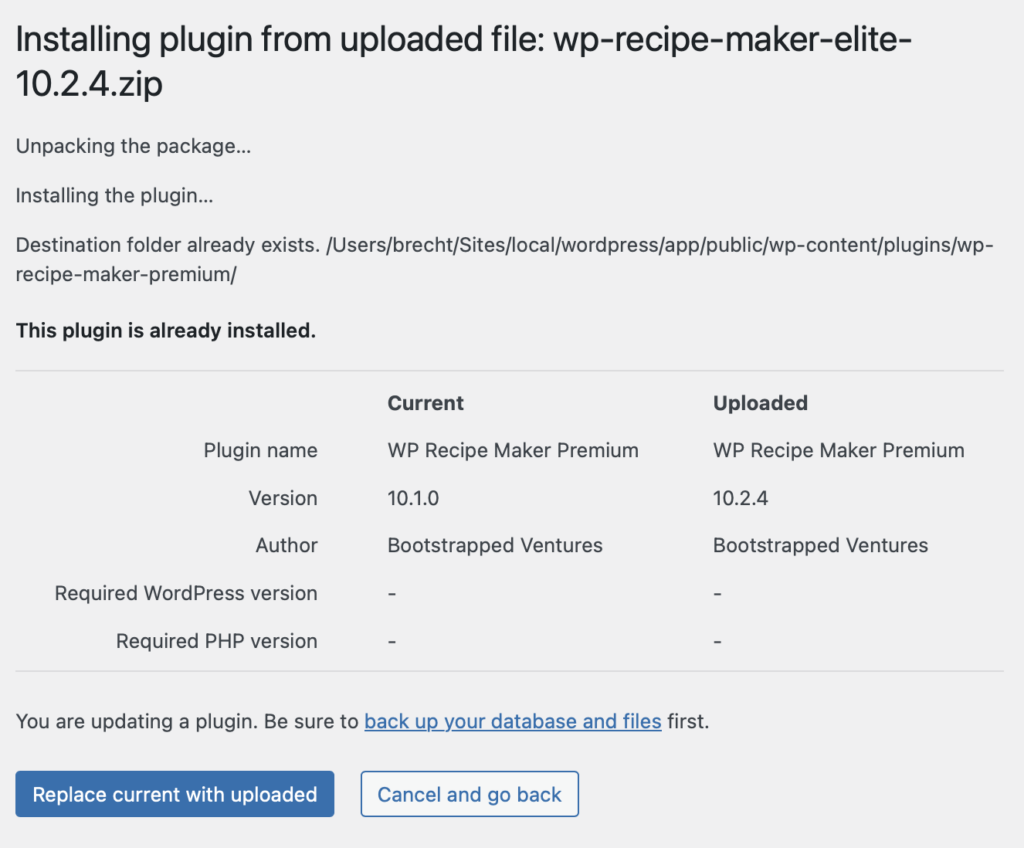
If you already had a different version of the Premium, Pro or Elite Bundle installed, you will need to confirm that you want to replace it with the one you’re currently uploading by clicking on the blue “Replace current with uploaded” button: